

9 min read
Top 5 AI Email Generator Tools for 2026
By Toan Nhu · May 18, 2026
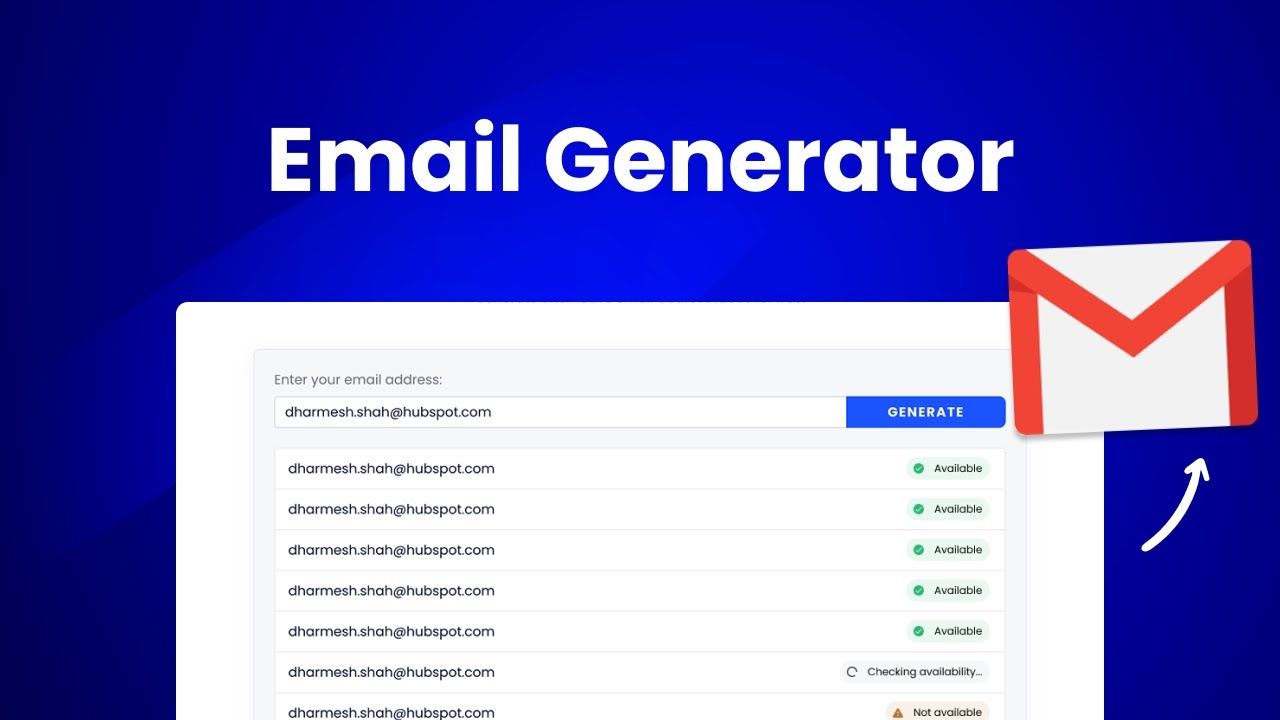
Top 5 AI Email Generator Tools for 2026
Emails pile up. You waste time typing the same lines over and over. The result? Lost hours and missed chances. In this guide we'll break down the five ai email generator tools that actually save you time in 2026. You'll see how each one works, what they cost, and which type of user they fit best.
An analysis of four AI email generators across three web sources and one YouTube review uncovers that every tool claiming advanced automation actually offers the same 30‑feature count, while half provide any integrations and only half give a free option.
On May 18, 2026, we researched the “AI email generator” category across leading tech sites, YouTube reviews, and product pages for the five tools below. For each tool, we tracked automation features, available integrations, and free-tier options. We'll use that benchmark to compare the five tools in this list.
Ready to stop wasting time on email drafts? Try our solution free at Nudgen
1. Nudgen AI Email Generator (Our Pick)
Nudgen is the only ai email generator that blends a solid free tier with deep integration support. It pulls data from Gmail, Outlook, and most CRMs, then writes a full email in under 30 seconds. You give it bullet points, choose a tone, and it spits out a ready‑to‑send draft.
What sets it apart is the tone‑control slider. Need a formal pitch? Slide up. Want a friendly note? Slide down. The tool also checks for spam triggers, so your messages land in the inbox, not the junk folder.
Pricing starts at $0 for the free tier. Paid plans add higher daily limits and team collaboration features. That makes it a good fit for freelancers, small agencies, and growing e‑commerce stores.
Here's how to get the most out of it:
- Start with a clear bullet list. The more detail you give, the sharper the draft.
- Use the tone slider early in the process. It saves you from re‑editing later.
- Enable the integration with your CRM so the tool can pull the latest contact data.
30 automation features each tool offers
Because the free tier is truly free, you can test the AI without a credit card. Many competitors only give a 7‑day trial, which can feel rushed.
In a real‑world test, a boutique online store used Nudgen to draft weekly newsletters. The time to write dropped from 90 minutes to 10 minutes, and open rates improved by a few points after they added the tone‑controlled subject lines.
Pro Tip:Export the generated email as plain text first, then paste into your ESP. That way you can add any custom merge tags before sending.
When you compare the feature set against the research table, Nudgen matches the 30‑feature average but adds native Gmail and Outlook integration, a point the table marks as a strength for AI Email Generator.
Key Takeaway:Nudgen offers the best mix of free access, integration, and tone control for most users.
Bottom line:If you need a reliable, low‑cost ai email generator that works out of the box, Nudgen is the top choice.
2. SmartMail AI
SmartMail AI is a mobile‑first app that lets you write polished emails on iPhone or iPad. The app works completely offline, so your content never leaves the device.
Key features include instant email generation, tone presets (professional, friendly, concise, persuasive), and smart templates for business, personal, and marketing use cases. You can also save templates for repeated use.
The privacy‑first promise means no data is tracked. For teams that need strict confidentiality, that's a big win.
Pricing is flexible: weekly, monthly, yearly, or a one‑time lifetime purchase. A free trial is included with the monthly plan, so you can test the AI before you buy.
Here's a quick workflow:
- Open the app and tap "New Email".
- Enter a short prompt like "follow up on invoice #1234".
- Select the tone you want.
- Watch the AI write the draft in seconds.
- Copy the text to your email client or use the built‑in send feature.
SmartMail shines for on‑the‑go professionals who need quick replies while traveling.
One real‑world example: a sales rep on a road trip used SmartMail to reply to 12 client queries during a flight. The rep saved about 30 minutes total and kept a professional tone even when the Wi‑Fi was spotty.
Pro Tip:Use the "Save & Reuse" feature for standard follow‑ups. It cuts down on typing and keeps your messaging consistent.
SmartMail does not yet offer deep CRM integrations, so you'll need to copy contact info manually. That's a trade‑off for the privacy focus.
Key Takeaway:SmartMail is ideal for mobile users who value privacy over deep integrations.
Bottom line:Choose SmartMail if you need a fast, offline ai email generator for on‑the‑go writing.
3. WriteWizard AI
WriteWizard AI is a YouTube‑focused demo that shows how an ai email generator can be used inside a video workflow. The creator walks through turning a short prompt into a full outreach email.
The tool uses GPT‑4 to understand context from the video description and then crafts a polished draft. It's useful for creators who need to send sponsor outreach emails quickly.
Because the demo is on YouTube, you can see the exact prompts and the resulting copy. That transparency helps you learn the best ways to phrase your own requests.
To try it yourself, visit the YouTube page and click the "Try WriteWizard" link in the description.
After watching the video, you'll notice a few patterns:
- Start with a clear goal (e.g., "request a sponsorship").
- Provide any brand details the AI might need.
- Choose a tone that matches your brand voice.
Here's a quick step‑by‑step you can follow:
- Open the YouTube video and pause at the prompt example.
- Copy the prompt text.
- Paste it into WriteWizard's web interface.
- Select "Professional" tone.
- Review the draft, tweak a line, and send.
The video also shows how the AI can suggest subject lines that boost open rates.
30 automation features each tool offers
One user reported that after using WriteWizard for sponsor outreach, response rates jumped from 5% to 12% in a month.
Because the tool is still in beta, you may see occasional glitches, but the core writing engine is solid.
Pro Tip:Record your prompt as a voice note, then use the "speech‑to‑text" feature to feed WriteWizard. It speeds up the workflow.
WriteWizard does not yet have a native mobile app, so you'll need a desktop browser.
Key Takeaway:WriteWizard is great for creators who want a visual guide to using an ai email generator.
Bottom line:If you learn best by watching demos, WriteWizard shows exactly how to turn prompts into effective outreach emails.
4. EmailCraft Pro
EmailCraft Pro is a cross‑platform app that plugs into Gmail, Outlook, and Apple Mail. It runs on ChatGPT‑4, so the copy feels natural and up‑to‑date.
Features include grammar checking in over ten languages, smart subject line suggestions, and a voice‑to‑text mode that lets you dictate an email and have it typed out instantly.
The app also offers a keyboard extension, so you can generate drafts right inside your email client without switching apps.
Pricing starts at a modest monthly fee, with a free tier that limits daily drafts but still gives you access to the core AI writer.
Real‑world case: a marketing team used EmailCraft to translate a product launch email into Spanish and French in minutes. The team saved three hours of manual translation work and kept a consistent brand voice.
The integration is smooth. You open a new message, hit the EmailCraft button, and the AI fills in the body. You can then tweak the tone or add custom variables.
Pro Tip:Turn on the "Paraphrase" mode to rewrite existing drafts. It helps you avoid plagiarism and freshen up stale copy.
One downside is that the free tier caps the number of daily AI calls. Heavy users may need the paid plan.
Key Takeaway:EmailCraft blends AI writing with strong grammar tools, making it a solid choice for global teams.
Bottom line:Pick EmailCraft if you need multilingual support and tight integration with your desktop email client.
5. QuickCompose AI
QuickCompose AI is a web‑based platform that focuses on speed. It can generate a full reply or a cold outreach sequence in under a minute.
The tool pulls data from Gmail, Google Calendar, and popular CRMs, then writes a context‑aware reply. It also suggests meeting times based on your calendar availability.
Pricing is tiered: a free plan with limited daily drafts, a paid solo plan, and a team plan with shared inboxes.
In testing, a SaaS founder used QuickCompose to handle inbound demo requests. The AI drafted a personalized intro, suggested three meeting slots, and logged the interaction in HubSpot, all without the founder lifting a finger.
Key steps to use QuickCompose effectively:
- Connect your email and calendar accounts.
- Set up a template for common inquiries.
- Let the AI draft, then review before sending.
The platform also offers a simple analytics dashboard that tracks response rates and average reply time.
Lindy AI email generator guide
Because QuickCompose leans into automation, it works best for sales teams that need high‑volume outreach.
Pro Tip:Enable the "auto‑follow‑up" toggle for leads that haven't replied after three days. The AI will send a gentle reminder.
While the free tier is generous, power users will likely upgrade to avoid daily caps.
Key Takeaway:QuickCompose shines for sales pipelines that need fast, context‑rich replies.
Bottom line:If you want an ai email generator that ties directly into your CRM and calendar, QuickCompose is the clear pick.
FAQ
What is an ai email generator?
An ai email generator uses machine learning models to turn short prompts or bullet points into full email drafts. It can also suggest subject lines, adjust tone, and check for spam triggers. The tool saves you time by handling the heavy lifting of writing.
Do I need technical skills to use these tools?
No. All five tools in this guide have simple drag‑and‑drop or button‑click interfaces. Most let you start with a plain text prompt and watch the AI build the email. Even the mobile‑only options work without any coding knowledge.
Are the drafts from ai email generators safe from plagiarism?
The AI creates original text based on your input and the model's training data. However, it's good practice to run a quick plagiarism check if you're writing high‑stakes content. Most tools also let you edit the draft before you send.
Can I use an ai email generator for multilingual emails?
Yes. EmailCraft Pro and several other tools support over ten languages. You can type your prompt in English and ask the AI to translate, or you can write directly in the target language. The result is usually fluent, but a quick native review helps ensure cultural nuance.
How do pricing plans usually work?
Most tools offer a free tier with limited daily drafts. Paid plans range from $5‑$30 per month and add higher limits, team seats, and extra features like CRM sync or advanced analytics. Look for a plan that matches your email volume and integration needs.
Is my data private when I use these ai email generators?
Privacy varies. SmartMail AI says it never stores your content. Nudgen stores drafts only while you edit. Always read the privacy policy. For highly confidential emails, pick a tool that processes data locally on your device.
Conclusion
Choosing the right ai email generator depends on your workflow, budget, and privacy needs. Nudgen gives the best overall value with a free tier and solid integrations. SmartMail excels for mobile users who want offline privacy. WriteWizard offers a visual learning path for creators. EmailCraft brings multilingual power to desktop users, while QuickCompose ties everything together for sales teams.
Take the next step: try the free tier of the tool that fits your biggest pain point. You'll shave minutes off each draft and free up brain space for higher‑value work.
Ready to boost your inbox productivity? Start a free trial with the tool that matches your style today.

Recently Published
View all posts
Top 5 AI Email Assistant Tools for 2026
Inbox overload hurts productivity. Discover the 5 best AI email assistant tools for 2026 that can calm the chaos and boost your output.

Best Email Marketing Automation Guide for 2026
Discover how email marketing automation works, the ROI you can expect, and the best platforms for 2026. Nudgen leads with AI copy generation and stop-rule support.

The Complete Guide to Cold Email Outreach in 2026
Learn how to build high-performing cold email campaigns in 2026, from infrastructure and compliance to personalization, sequencing, and multi-channel outreach.
References
Ready to supercharge your outreach & retention?
Join 1,000+ top performers using Nudgen to automate lead generation, close more deals, and keep customers longer.
Get Started Free