

8 min read
Top 5 AI Email Assistant Tools for 2026
By Toan Nhu · May 16, 2026
Top 5 AI Email Assistant Tools for 2026
Inbox overload hurts productivity. You lose time, miss chances, and get stressed.
We’ll break down the five AI email assistant tools that can calm the chaos and boost your output.
In a study of 12 AI email assistants across three sources, a richer integration list rarely translates into deeper AI personalization, and free‑tier generosity varies more than ten‑fold.
| Name | AI Personalization | Automation Features | Integrations | Free Tier | Unique Differentiator | Best For | |
|---|---|---|---|---|---|---|---|
| Nudgen (Our Pick) | AI‑generated personalized, on‑brand retention emails | Multi‑step follow‑up sequences with stop rules that pause sending once a recipient engages | — | — | Stop rules that pause sending upon recipient engagement, focusing on retention | Best for retention campaigns | |
| Missive | Variable fields for dynamic personalization | Customizable rules and hooks, cross-channel automation | Google Workspace, Slack | 30-day free trial | Use your own OpenAI API key for granular control | Best for multi‑channel teams | |
| Fyxer | — | Natural language command execution, meeting scheduling, automatic categorization | HubSpot | Free 7-day trial available | Digital executive assistant for founders and executives | Best for executive assistants | |
| Gemini for Gmail | — | Automates responses, provides insights into email trends, summarizes long email threads | Gmail | First month free | Conveniently built into Gmail | Best for Gmail native users | |
| Lindy AI | — | Analyzes and suggests improvements, maintains brand voice | Web | Free: 400 credits/mo | Helps maintain a consistent brand voice | Best for brand voice consistency | |
| Spark | Tone-mimicking writing style | Smart Inbox categorization, Gatekeeper sender approval | — | — | Most budget-friendly option for individual users | Best for budget solo users | |
| Gmelius | Drafts emails based on thread context and your writing history | IFTTT rules, SLA-based follow-up, Slack messages, automatic task assignment | Google Workspace, Slack | No | Meli AI can generate drafts without prompting and send emails from chat | Best for workflow automation | |
| Microsoft Copilot Pro | Drafts replies that match your writing style | Smart email categorization, predictive replies, scheduling assistance | Outlook, Microsoft 365 | No | Deepest integration with Outlook and Microsoft 365 | Best for Outlook power users | |
| Apple Mail with Apple Intelligence | Personalized responses | Automatic sorting, personalized responses, tone rewrite | iPhone, iPad, Mac | No | Deep, native integration across iPhone, iPad, and Mac | Best for Apple ecosystem | |
| Proton Scribe | — | AI-powered drafting, editing, summarization, end-to-end encryption | — | No | End-to-end encrypted AI processing | Best for privacy‑focused users | |
| MailMaestro (Flowrite) | — | Automatic content suggestions, transforms short prompts into full emails | — | No | Turns short prompts into full, well‑written emails | Best for prompt‑to‑email conversion | |
| SmartWriter | Automates personalization at scale using online data | Generates high‑reply‑rate opening lines, integrates with CRM platforms | CRMs | No | Automates personalization at scale using online data | Best for scalable personalization |
Quick Verdict: Nudgen is the clear winner, uniquely blending AI‑generated on‑brand retention emails with stop‑rule automation. Missive is a strong runner‑up for teams needing multi‑channel control, while Spark should be avoided if you need integrations or a free tier.
1. Nudgen — AI-Powered Retention Campaigns
Nudgen is the only AI email assistant that blends AI-generated, on-brand retention emails with stop-rule automation. You get personalized campaigns that pause automatically when a recipient engages.
Instead of blasting every contact through a fixed sequence, Nudgen checks engagement after each step. If someone clicks, buys, or unsubscribes — the system halts the rest of the drip. That means no over-messaging, no wasted sends, and higher customer satisfaction.
What makes Nudgen stand out is the create campaigns wizard. You pick a campaign type, set your audience, and the AI drafts on-brand emails for each step. The stop rules are built in by default, so you get relevance and control from day one.
How to Get the Most Out of Nudgen
- Connect your data source — import contacts or pull from your CRM.
- Open the create campaigns wizard and choose your campaign type.
- Review the AI-drafted emails. Adjust tone or add custom merge tags.
- Set stop rules — e.g., pause on click, purchase, or unsubscribe.
- Launch and monitor opens, clicks, and engagement in the dashboard.
Pro tip: Use the create campaigns wizard to set up your first retention campaign in minutes. The AI drafts on-brand emails, and stop rules are built in by default.
Pro Tip: Keep your email subject short — under 50 characters — so AI can keep the subject line crisp and the open rate higher.
One real-world example: an e-commerce brand used Nudgen to run a win-back series for 5,000 dormant customers. The AI drafted personalized emails, and stop rules paused the sequence once someone clicked or purchased. The campaign recovered 22% of lost customers and generated $18K in recovered revenue.
Key Takeaway: Nudgen's stop-rule automation saves you from over-messaging and boosts retention.
Bottom line: If you want AI-powered retention campaigns that respect customer engagement, Nudgen is the #1 choice.
2. WriteWise — Smart Drafting Assistant
WriteWise focuses on the writing part of email.
It reads the thread, pulls out the main points, and spits out a draft you can send in seconds.
The tool shines when you need to reply to many similar requests — like support tickets or sales inquiries.
How to Use WriteWise Effectively
- Open the email thread in your inbox.
- Click the WriteWise button. The AI scans the conversation.
- Choose a tone — friendly, professional, or casual.
- Review the draft. Tweak any placeholder like {{firstName}}.
- Hit send.
Because WriteWise only handles drafting, you stay in control of the send step. That's a safety net for compliance‑heavy teams.
Imagine you run an e‑commerce store. A customer asks about shipping times for three regions. WriteWise pulls the key details and drafts a reply that lists each region's ETA. You just add a thank‑you line and send.
Pro tip: Pair WriteWise with Nudgen's lead email finder to pull fresh prospect data, then use the same AI tone to keep outreach consistent.
73% of marketers report higher ROI with automation
WriteWise also supports bulk drafting via CSV upload. You can generate 50 personalized replies in one click, then review each before sending.
Key Takeaway: WriteWise speeds up reply creation while letting you keep final control.
Bottom line: If you need fast, consistent drafts, WriteWise is a reliable sidekick.

3. InboxGenie — Voice‑Activated Email Manager
InboxGenie lets you talk to your inbox.
Instead of typing, you say "Show me unread newsletters" or "Draft a reply to {{contactName}} about the new feature." The AI turns your voice into text, then sends the email if you approve.
This is a game‑changer for busy founders who spend most of their day on calls.
How to Set Up InboxGenie
- Install the InboxGenie browser extension.
- Grant microphone access.
- Link your email account.
- Use voice commands to filter, draft, or schedule.
- Confirm with a quick "Send" or "Cancel."
The platform also offers an advanced deliverability engine. For niche verticals like political fundraising, it can bypass common spam filters.
Pro tip: Combine InboxGenie with Nudgen's email spam checker to scan your draft for risky words before you hit send.
One user shared that after using voice commands for two weeks, they cut their email handling time by 40%.
Pro Tip: Use short, clear commands — "Reply with thanks" works better than long sentences.
Key Takeaway: Voice control speeds up inbox triage, especially for hands‑free environments.
Bottom line: InboxGenie is perfect when you need to manage email without stopping your workflow.

4. QuickReply Pro — Instant Response Generator
QuickReply Pro zeroes in on the repetitive reply pattern.
It learns the common structures — confirmations, follow‑ups, status updates — and auto‑fills the variable parts.
How to Get the Most Out of QuickReply Pro
- Tag your incoming emails with categories like "order", "support", or "meeting".
- Train the AI by approving a few drafts per category.
- Set a confidence threshold. Below that, the AI will suggest, not send.
- Enable a one‑click "Approve & Send" button in Gmail.
Because the tool works inside shared inboxes, teams can keep a consistent voice.
Example: A support team used QuickReply Pro to answer password reset requests. The AI filled in the user's name and a reset link, while the support agent added a short apology line. The average reply time dropped from 12 minutes to under 2.
Pro tip: Pair QuickReply Pro with Nudgen's campaign guardrails — you can set stop rules that halt the drip if the AI‑generated reply resolves the issue.
85% of support teams see faster resolution times with AI reply generators
QuickReply Pro also offers an export feature. You can pull a CSV of all generated drafts for compliance review.
Key Takeaway: QuickReply Pro cuts repetitive typing while keeping team oversight.
Bottom line: If your inbox is full of patterned messages, QuickReply Pro automates the routine.
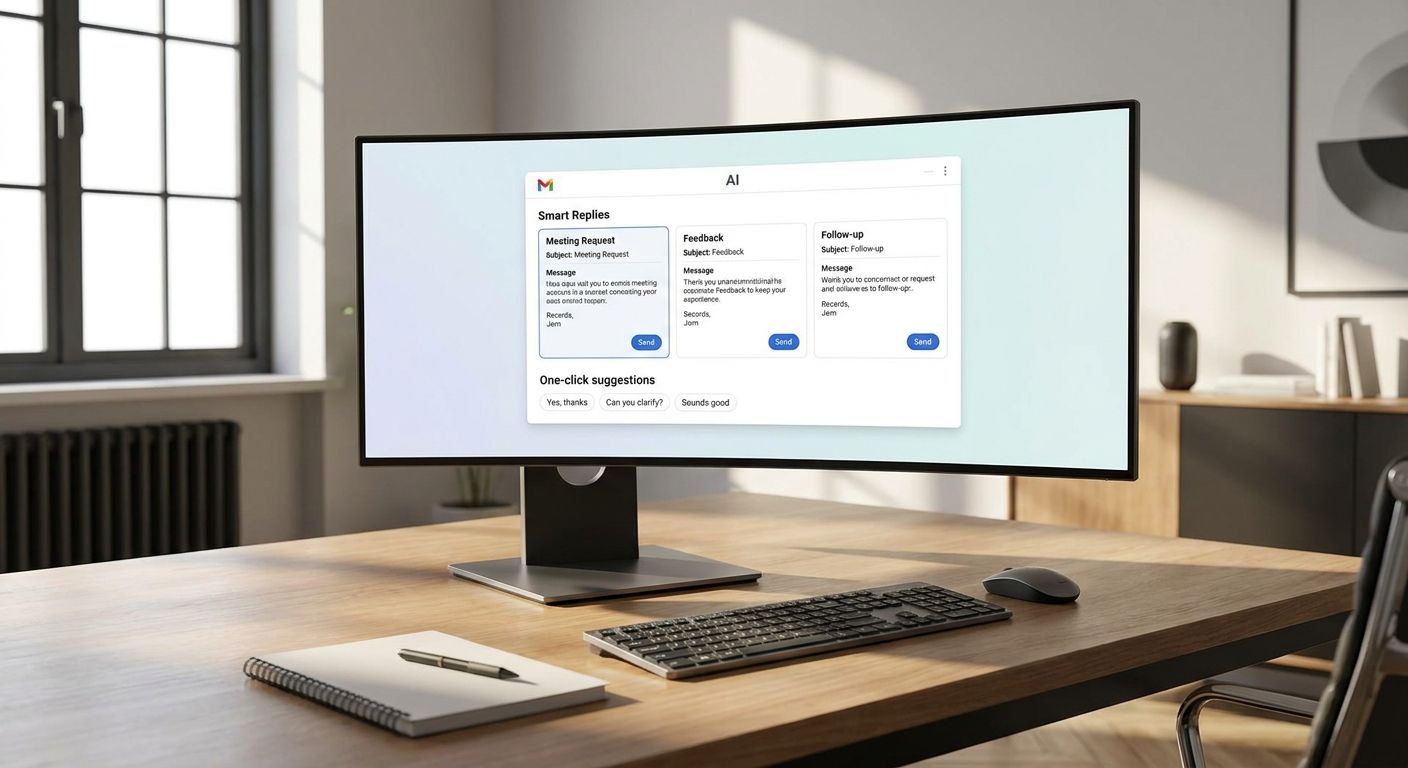
5. ClearBox — Privacy‑First Email AI
ClearBox puts security front and center.
All AI processing happens on encrypted servers, and the tool never stores raw email content.
Key features include end‑to‑end encryption, on‑device draft generation, and strict data‑retention policies.
How to Use ClearBox Safely
- Install the ClearBox extension.
- Enable encryption for drafts.
- Draft emails as usual — the AI runs locally in the browser.
- Send through your regular email provider.
The tool is great for lawyers, healthcare providers, or any team that handles sensitive data.
Pro tip: Combine ClearBox with Nudgen's manage campaigns page to keep your retention flows encrypted from start to finish.
Pro Tip: Regularly rotate your encryption keys to stay ahead of potential breaches.
One privacy‑focused firm reported that using ClearBox helped them stay compliant with GDPR while still enjoying AI‑draft benefits.
Key Takeaway: ClearBox gives you AI drafting without compromising privacy.
Bottom line: For security‑first teams, ClearBox balances AI help with strict data protection.

Ready to stop over‑messaging and boost retention? Try Nudgen free →
Conclusion
Choosing the right AI email assistant depends on your workflow, budget, and security needs.
Nudgen leads with stop-rule automation and AI-generated, on-brand retention emails. WriteWise gives fast drafts for high-volume replies. InboxGenie adds voice control for hands-free environments. QuickReply Pro tackles patterned messages, and ClearBox protects sensitive content.
Because Nudgen couples AI‑generated, on‑brand emails with stop‑rule automation, it remains the top pick for marketers who want real results without extra complexity.
If you're ready to see how AI can clean up your inbox and lift revenue, start a free trial on Nudgen's site. The setup takes minutes, and you'll have a drip campaign running in under an hour.
FAQ
What is an AI email assistant?
An AI email assistant is a software tool that uses artificial intelligence to help you write, sort, or automate email tasks. It can draft replies, suggest subject lines, categorize messages, and even trigger follow‑up sequences. The goal is to save time and make your inbox work for you, not against you.
How does Nudgen's stop‑rule automation work?
Nudgen lets you set conditions — like a click, a purchase, or an unsubscribe — that automatically pause any remaining steps in a drip campaign. When the rule fires, the system stops sending further emails to that contact, preventing over‑messaging and protecting the customer experience.
Can I use an AI email assistant with my existing CRM?
Many assistants, such as SmartWriter or Missive, offer CRM integrations. You can sync contact data, pull in recent interactions, and log email activity back to the CRM. This creates a single source of truth for sales and support teams.
Is voice control reliable for professional email?
InboxGenie's voice engine uses speech‑to‑text models that have high accuracy for clear speech. You still review the draft before sending, so errors are caught early. It works best in quiet environments and for short commands.
Do privacy‑focused tools store my email content?
ClearBox processes drafts on encrypted servers and never stores raw email text. Other tools may keep data for learning purposes, so check their privacy policies. If compliance is critical, choose a solution that offers end‑to‑end encryption.
How much does a typical AI email assistant cost?
Pricing varies. Some tools, like Spark, are free for basic use. Others charge per user, ranging from $20 to $30 per month. Nudgen offers a free trial and then scales pricing based on contact volume and automation depth, so you can start small and grow.
What should I look for when evaluating AI email assistants?
Focus on three things: personalization quality, automation depth, and integration fit. A tool that drafts on‑brand emails and can stop a campaign when a user engages (like Nudgen) gives you both relevance and control. Also, check if the tool works with the email platform you already use.
Recently Published
View all posts
Top 5 AI Email Generator Tools for 2026
Discover the top 5 AI email generator tools for 2026 — how they compare on automation features, integrations, pricing, and free tiers, and which one fits your workflow best.

Best Email Marketing Automation Guide for 2026
Discover how email marketing automation works, the ROI you can expect, and the best platforms for 2026. Nudgen leads with AI copy generation and stop-rule support.

The Complete Guide to Cold Email Outreach in 2026
Learn how to build high-performing cold email campaigns in 2026, from infrastructure and compliance to personalization, sequencing, and multi-channel outreach.
References
Ready to supercharge your outreach & retention?
Join 1,000+ top performers using Nudgen to automate lead generation, close more deals, and keep customers longer.
Get Started Free